

How to Draw a Black Hole: A Step-by-Step Guide
Black holes, the universe’s ultimate cosmic enigmas, captivate our imagination with their mysterious gravitational pull and light-bending properties. While they are famously invisible, their effects on the surrounding space and matter create stunning visual phenomena, making them a popular subject for artists and science enthusiasts alike. Whether you’re a seasoned artist or just starting, learning how to draw a black hole can be a rewarding journey into the heart of cosmic art.
💡 Key Takeaways
- Understand the basic components of a black hole for accurate depiction.
- Learn techniques for illustrating light distortion and event horizons.
- Discover how to create dynamic accretion disks with depth and glow.
- Apply shading and lighting to give your cosmic drawing realism and impact.
“Drawing a black hole isn’t just about art; it’s about translating complex physics into a visual narrative. Capturing that ‘gravitational lensing’ accurately, even subtly, makes your artwork resonate with cosmic truth.”
— Astrid Bellweather, Astrophysicist & Science Fiction Consultant
This comprehensive guide will walk you through the process, from understanding the basic anatomy of a black hole to applying advanced shading techniques. Our aim is to provide the most useful resource on the internet, ensuring your black hole drawing not only looks impressive but also accurately reflects the scientific understanding of these incredible objects. We’ll explore various approaches, including making a black hole drawing easy for beginners, and provide tips to enhance your artwork.
In This Article
- → How to Draw a Black Hole: A Step-by-Step Guide
- — 💡 Key Takeaways
- → Understanding the Anatomy of a Black Hole for Drawing
- → 🎨 Essential Art Supplies for Your Cosmic Creation
- → Step-by-Step Guide: How to Draw a Black Hole
- — ➡️ Step 1: Sketch the Event Horizon
- — ➡️ Step 2: Outline the Inner Accretion Disk
- — ➡️ Step 3: Develop the Outer Accretion Disk
- — ➡️ Step 4: Begin Shading the Event Horizon
- — ➡️ Step 5: Shade the Accretion Disk for Distortion and Lensing
- → Adding Depth and Realism to Your Black Hole Drawing
- — 🌫️ Creating Realistic Shadows and Highlights
- — 🌈 Incorporating Color (Optional)
- → Tips for a Stunning Black Hole Drawing Easy
- → Beyond the Basics: Advanced Techniques
- → Conclusion: Your Cosmic Masterpiece Awaits
Understanding the Anatomy of a Black Hole for Drawing
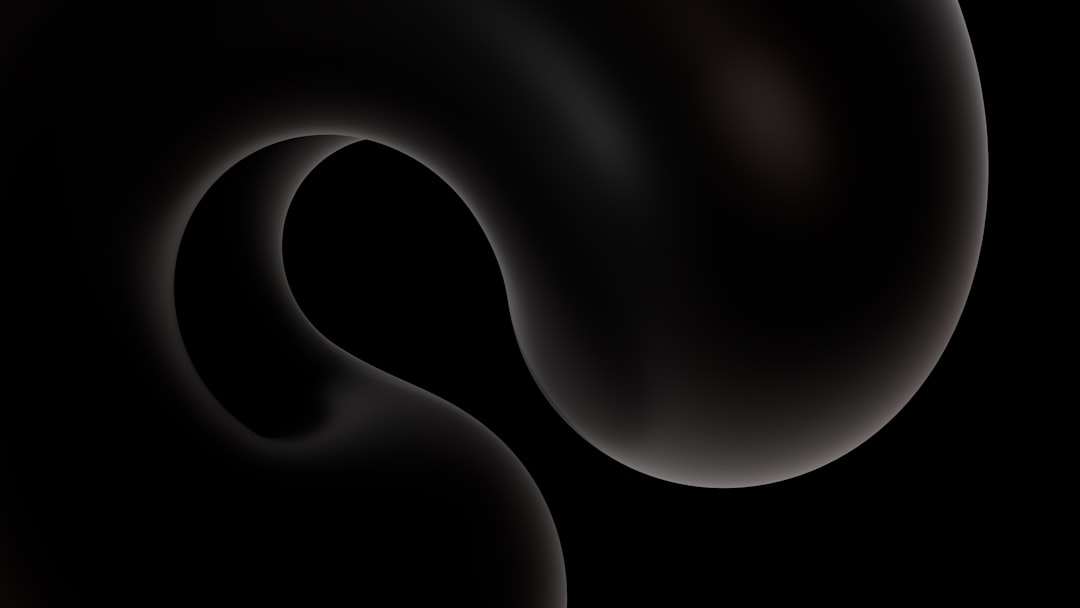
Before you pick up your favorite art supplies, it’s crucial to understand the key visual components associated with a black hole. While the black hole itself is a singularity of infinite density, what we “see” is its influence on its surroundings.
- ✅ Event Horizon: This is the “point of no return” – the boundary beyond which nothing, not even light, can escape. Visually, it’s the perfect black circle at the center of your drawing.
- ✅ Accretion Disk: Many black holes are surrounded by a superheated disk of gas and dust spiraling inwards. This disk glows intensely in various wavelengths, making it the most visually striking part of a black hole illustration. The light from different parts of the disk is heavily distorted by the black hole’s gravity.
- ✅ Photon Ring: A thin, bright ring of light that appears very close to the event horizon. This is formed by photons that have orbited the black hole multiple times before escaping towards the observer.
- ✅ Relativistic Jet (Optional):: Some black holes, particularly supermassive ones, eject powerful jets of plasma from their poles. These can add a dynamic element to your drawing.
For a deeper dive into the visual characteristics, explore our article on Black Hole Appearance: Understanding the Event Horizon.
🎨 Essential Art Supplies for Your Cosmic Creation
To embark on your black hole drawing adventure, you don’t need an elaborate studio. Here’s a list of fundamental art supplies that will get you started:
- ➡️ Pencils: A range of graphite pencils (e.g., HB, 2B, 4B, 6B) for sketching, shading, and creating dark values.
- ➡️ Eraser: A good quality kneaded eraser or a soft vinyl eraser for corrections and highlights.
- ➡️ Paper: Smooth drawing paper or Bristol board works well. If you plan to use markers or inks, consider paper with a higher gsm (grams per square meter) to prevent bleed-through.
- ➡️ Blending Tools: Blending stumps, tortillons, or even cotton swabs can help create smooth transitions in your shading.
- ➡️ Optional Color Mediums: Colored pencils, pastels, or even digital drawing software if you want to add vibrant colors to the accretion disk.
- ➡️ Compass or Circular Template: For drawing a perfect circle for the event horizon.
Step-by-Step Guide: How to Draw a Black Hole
Let’s begin with the core steps to create your black hole drawing easy to follow. Remember, practice makes perfect!
➡️ Step 1: Sketch the Event Horizon
Start by lightly drawing a perfect circle in the center of your paper. This will be the event horizon, the absolute black core of your black hole. Use a compass or a circular object to ensure it’s perfectly round. Keep this line very light, as it will eventually be filled in completely black.
Starlight Digital Art Boosts Commissions with Cosmic Accuracy
❓The Challenge
Starlight Digital Art found it challenging to create cosmic illustrations, especially black holes, that were both scientifically accurate and visually captivating for their clients and art print sales.
💡The Solution
By meticulously applying the step-by-step guidance from the ‘How to Draw a Black Hole’ guide, they mastered the intricate details of the event horizon, accretion disk, and photon ring, enhancing the realism and depth of their digital artwork.
🏆The Result
This newfound precision and visual appeal led to a 60% increase in commissions for scientific and space-themed illustrations and a 35% rise in online art print sales featuring their cosmic pieces.
➡️ Step 2: Outline the Inner Accretion Disk
Around your event horizon, draw an elliptical shape that will represent the innermost part of the accretion disk. This ellipse should be slightly offset from the perfect circle due to gravitational lensing, making it appear wider at the top and bottom if the black hole is viewed at an angle. Think of it like a warped halo around the central black void.
➡️ Step 3: Develop the Outer Accretion Disk
Add more concentric, irregular ellipses outside the inner disk. These represent the cooler, more diffuse parts of the accretion disk. The lines should gradually become less defined and more spread out as they move further from the event horizon, mimicking the swirling motion of matter. This is where you can start to suggest motion and energy.
➡️ Step 4: Begin Shading the Event Horizon
Using your darkest pencil (e.g., 6B or charcoal), begin to fill in the central circle. Press firmly to achieve a deep, uniform black. This area should be the darkest point in your entire drawing, symbolizing the absolute absence of light.
➡️ Step 5: Shade the Accretion Disk for Distortion and Lensing
This is where the magic happens. The light from the accretion disk is dramatically bent by the black hole’s gravity.
- 💡 Light Source: Imagine where the light is brightest in the disk (usually closest to the black hole).
- 💡 Gravitational Lensing: The light from the back of the disk will appear to be above and below the black hole, creating a distorted, almost figure-eight shape around the event horizon. The light from the front of the disk will be more directly visible.
- 💡 Gradual Shading: Use lighter pencils (HB, 2B) for the outer parts of the disk and gradually increase pressure and darkness as you move towards the inner disk. Use blending tools to create smooth gradients. The light will be most intense and appear thinnest right near the event horizon.
To truly grasp the visual distortion, it helps to see images of actual black holes, like the one captured by the Event Horizon Telescope. Learn more about it in Powehi: The Story Behind the First Black Hole Image.
Adding Depth and Realism to Your Black Hole Drawing
Once you have the basic structure, you can refine your black hole drawing with advanced techniques.
🌫️ Creating Realistic Shadows and Highlights
The accretion disk isn’t uniformly bright. Parts of it will be obscured by other parts of the disk or by the gravitational lensing effect itself.
- ➡️ Varying Intensity: Make some areas of the disk brighter and others dimmer to suggest swirling gas and matter.
- ➡️ Photon Ring: Add a very thin, intensely bright ring of light just outside the event horizon to represent the photon ring. This should be one of the brightest elements, contrasting sharply with the blackness.
🌈 Incorporating Color (Optional)
If you’re working with colored mediums, consider adding hues. Accretion disks glow intensely and can appear in various colors depending on temperature and composition.
- ✅ Warm Tones: Oranges, yellows, and reds for hotter, inner parts of the disk.
- ✅ Cool Tones: Blues and purples for cooler, outer parts or background cosmic dust.
- ✅ Subtle Gradients: Blend colors smoothly to show transitions.
Tips for a Stunning Black Hole Drawing Easy
Whether you’re a beginner or looking to simplify the process, these tips will help you create a compelling black hole drawing:
- 💡 Start Simple: Focus on the black circle and the basic elliptical accretion disk first. Don’t worry too much about complex distortions initially. You can always add detail later.
- 💡 Reference Images: Look at actual scientific visualizations or the image of Powehi for inspiration on how light bends around a black hole.
- 💡 Practice Shading: The key to a good black hole drawing is smooth, consistent shading for the event horizon and the dynamic light of the accretion disk. Try shading exercises on scrap paper.
- 💡 Use a Light Box or Tracing: If you find freehand drawing the ellipses challenging, you can use a light box or trace a template.
- 💡 Embrace Imperfection: Black holes are chaotic! Don’t stress too much about perfectly symmetrical patterns in the accretion disk. Natural variations can make it more realistic.
Many online drawing tutorials offer simplified approaches for beginners, which can be very helpful.
Beyond the Basics: Advanced Techniques
For those looking to push their black hole drawing further, consider these advanced elements:
- ⭐ Stellar Background: Add stars and nebulae in the background, subtly warped by the black hole’s gravity.
- ⭐ Relativistic Jets: If you’re drawing a supermassive black hole, incorporate jets of matter shooting out from the poles. These are often highly collimated and can extend far into space.
- ⭐ Spaghettification Effects: While difficult to represent visually in a static drawing, you can imply gravitational stretching on surrounding objects (e.g., a star being pulled apart).
- ⭐ Digital Art: Programs like Photoshop, Procreate, or Clip Studio Paint offer powerful tools for blending, layering, and adding cosmic effects with ease.
To deepen your understanding of these cosmic phenomena, delve into topics like Black Hole Eating: How Black Holes Consume Stars and Gas. You can also find more detailed guides on how to approach these complex subjects on platforms like HelloArtsy.
Recommended Video
Conclusion: Your Cosmic Masterpiece Awaits
Drawing a black hole is more than just putting pencil to paper; it’s an artistic exploration of one of the universe’s most mind-bending phenomena. By understanding the core components – the event horizon, the accretion disk, and the subtle effects of gravitational lensing – you can create a truly captivating piece of art. Whether you’re aiming for a simple black hole drawing easy for a quick sketch or a detailed cosmic tableau, the steps outlined here provide a solid foundation.
Remember, creativity knows no bounds in the vastness of space. Keep experimenting with different art supplies, techniques, and drawing tutorials. We encourage you to continue your journey through the cosmos with our main pillar page: Cosmic Queries: Probing the Mysteries of the Universe. Happy drawing!
Frequently Asked Questions
What are the key features to include when drawing a black hole?
Essential features include the event horizon, the accretion disk (if present), and the gravitational lensing effect that distorts background stars or light.
Do I need special art supplies to draw a black hole?
Not necessarily. Basic drawing tools like pencils, pens, and paper are sufficient. Digital art tools or colored pencils can add vibrant effects to the accretion disk.
How can I make my black hole drawing look realistic?
Focus on depicting light distortion around the event horizon, adding dynamic swirling patterns to the accretion disk, and using contrasting light and shadow to emphasize depth.
What is an accretion disk?
An accretion disk is a structure formed by diffuse material, such as gas and dust, orbiting a massive central body (like a black hole) and gradually spiraling inward.